
NOTE MANAGEMENT

Various scripts for managing notes.
NOTES.SH
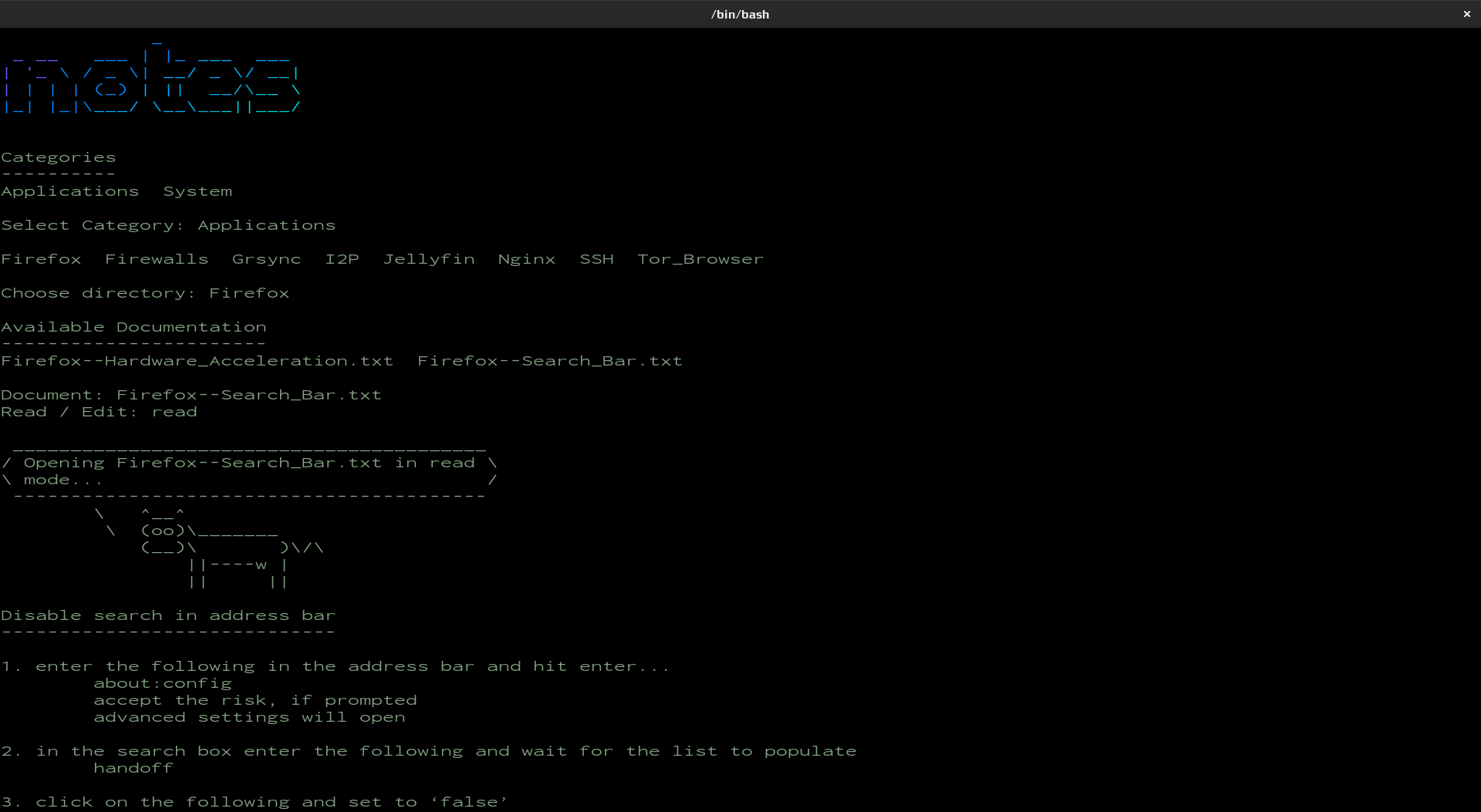
This script can be used to access your notes in a fast and efficient manner while in the terminal. After the required notes have been found and selected, they can be opened for reading or editing.
01
Install Dependencies
The dependencies listed below can most likely be found in your distributions repositories.
| Package | Purpose |
|---|---|
| figlet | used to create banner (script title) |
| lolcat | adds color to banner |
| cowsay | provide talking cow |
| vim | used to open note in edit mode |
Install Dependencies
Use the following command to install required dependencies.
02
The Script
The following script can be copy and pasted into a text editor and run. After coping the script, make sure to modify the path to where your notes are on your system and the path to where bash is installed (lines 01 and 10).
Path to Bash
This will be the very 1st line of the script.
The following command can be used to find where Bash is installed on your system.
#!/usr/bin/bash

# Dependencies
# figlet
# cowsay
# lolcat
# vim

# path to notes
notes=~/Notes/TXT

# error handling
error_exit(){
    sleep 1
    echo "Error: $1"
    sleep 1
    echo "closing application..."
    sleep 1
    echo "goodbye."
    sleep 1
    exit 1
}

# clear screen / show banner
clear
echo ""
figlet notes | lolcat
echo ""

# show directory contents
echo "Categories"
echo "----------"
ls $notes/

# get category
echo ""
echo -n "Select Category: "
read category
echo ""

# show available notes
ls $notes/$category/ 2> /dev/null || error_exit "category not found"
echo ""
echo -n "Choose directory: "
read note_dir
echo ""

if test -e "$notes/$category/$note_dir"; then
    echo "Available Documentation"
    echo "-----------------------"
    ls $notes/$category/$note_dir/
else
    error_exit "directory not found"
fi

# choose document
echo ""
echo -n "Document: "
read document

# choose mode (read || edit)
if test -e "$notes/$category/$note_dir/$document"; then
    echo -n "Read / Edit: "
    read mode
    echo ""
else
    echo ""
    error_exit "document does not exist"
fi

# display contents of document
if [ $mode == read ]; then
    cowsay "Opening $document in $mode mode..."
    sleep 2
    cat $notes/$category/$note_dir/$document 2> /dev/null
elif [ $mode == edit ]; then
    cowsay "Opening $document in $mode mode..."
    sleep 2
    vim $notes/$category/$note_dir/$document 2> /dev/null
else
    error_exit "invalid mode chosen"
fi

# exit this script
exit
03
Execution
Run the script.
Run Script
Use the following command. In this example the script was called notes.sh
Screenshot
Read example